
Name Badge Artwork Requirements
Use these requirements and production templates to prepare your badge artwork and guest list for printing with Terra Tag.
Front of the badge design rules
Guidance
Establish clear name hierarchy
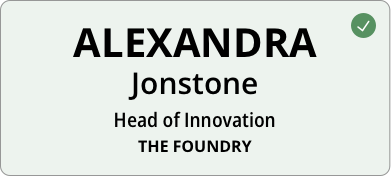


Design for distance and movement
Minimum font size
- First name: 36–38 pt Bold
- Last name: 20 pt Medium
- Job title or organisation: 14 pt Regular
Use sans serif fonts
- Montserrat
- Arial
- Open Sans
- Futura
- Helvetica Now
- Roboto
- Poppins
- Lato
- Proxima Nova
- Helvetica

Design for handmade paper
Avoid fine details

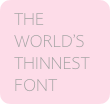
Dark prints darker


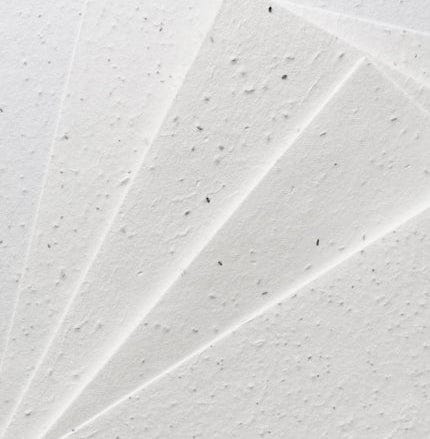
Embrace paper texture

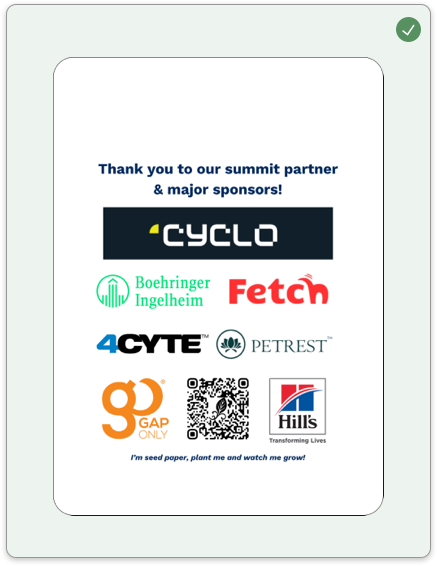
The cramming rule
A7 badges work best with minimal content. As elements are added, legibility drops and the badge becomes less functional. Design your custom name badge so key information is readable from 1–2 metres at conferences and networking events.
Recommended content by badge size
- A7: Name, title, organisation, one logo
- A6: Name, title, up to three logos, QR code, short schedule
Back of name badge artwork requirements
Required
Guidelines
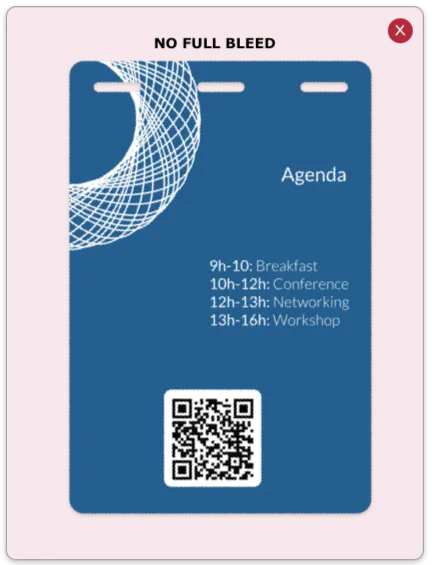
- No full colour backgrounds
- Use for sponsor logos or QR codes
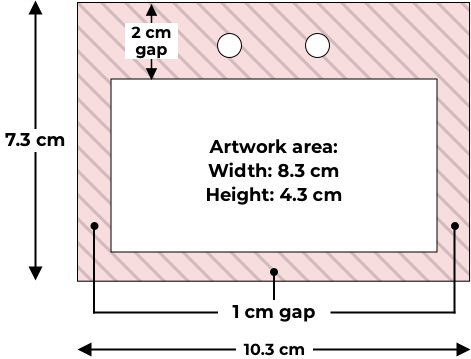
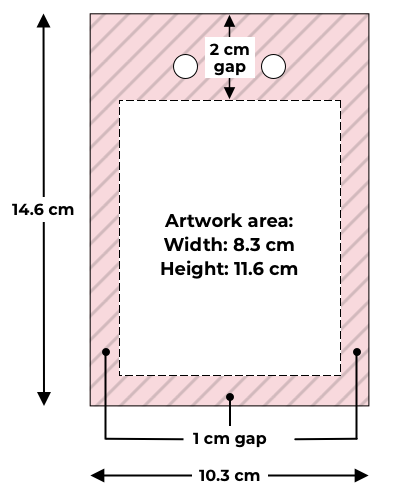
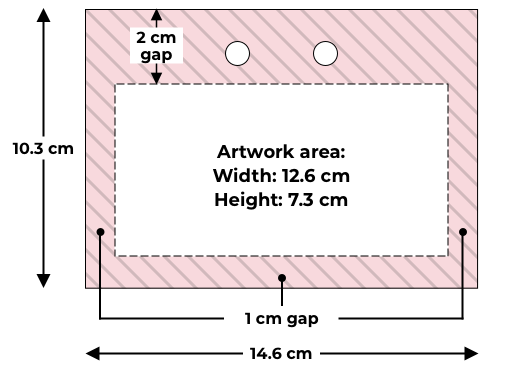
- Mandatory margins of 2 cm from top and 1 cm sides and bottom
Note: Handmade paper can shift. Perfect centring on the back of the badge is not guaranteed.
High resolution images only
Logos, images and icons must be a minimum of 600 dpi to print clearly.
Exact badge dimensions and print safe areas
RequiredA7 Badge Dimensions
A7 production templates
Use our ready-to-go templates with safe zones, margins and dimensions already set up.
Canva
Word and PowerPoint
Front of badge guidelines
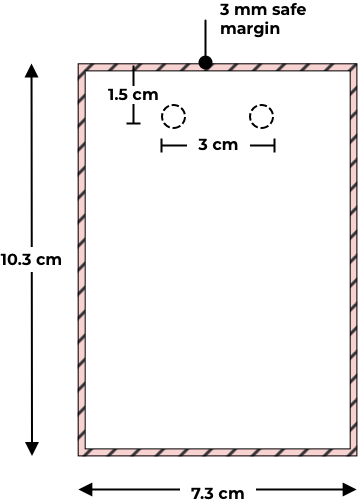
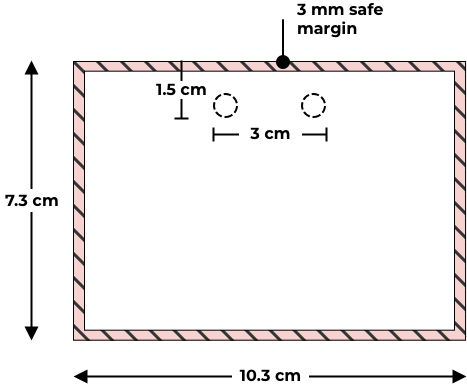
- Trim size 7.3 cm × 10.3 cm
- Mandatory margins 3 mm white border
- Lanyard position 2 holes, 1.5 cm from top, 3 cm apart
Back of badge guidelines
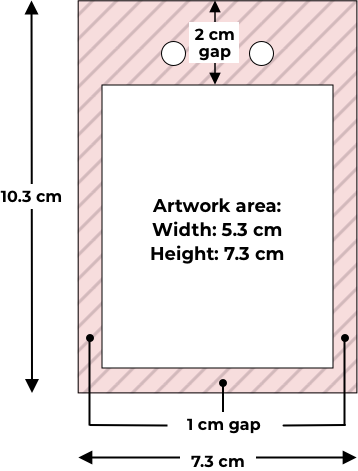
Mandatory margins
- Top: 2 cm
- Sides and bottom: 1 cm
A6 Badge Dimensions

A6 production templates
Use our ready-to-go templates with safe zones, margins and dimensions already set up.
Canva
Word and PowerPoint
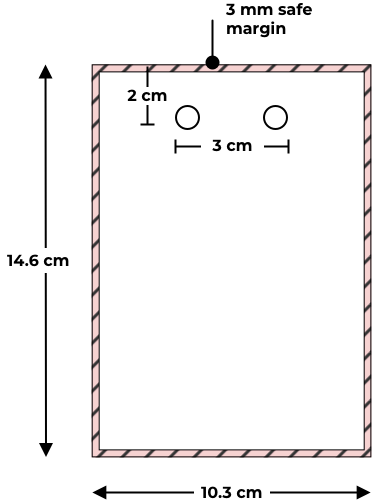
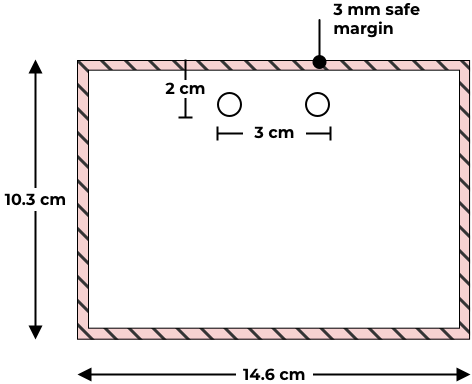
Front of badge guidelines
- Trim size 10.3 cm × 14.6 cm
- Mandatory margins 3 mm white border
- Lanyard position 2 holes, 2 cm from top, 3 cm apart
Back of badge guidelines
Mandatory margins
- Top: 2 cm
- Sides and bottom: 1 cm

How to format your guest list
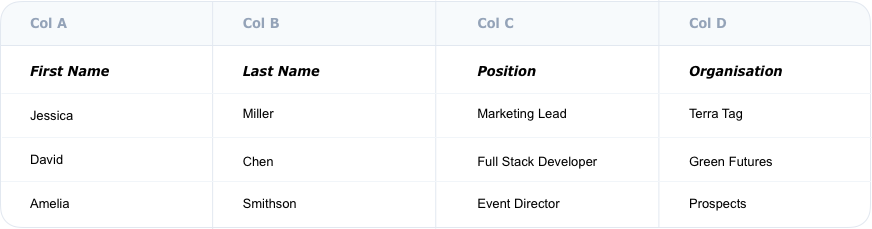
RequiredCSV only
Export your guest list as a Comma Delimited (.csv) file. Do not send us .xlsx or .numbers files. They will be rejected.
Single source of truth
Your guest list is the ‘source of truth’. What you put in it is what gets printed. Double check spelling and capitalisation before submitting.

Impact QR code placement
GuidanceWhy we include it
Terra Tag badges are different. Guests ask: “Is this plantable? How? Can I recycle it?” Without guidance, they might throw it away. The QR code gives guests answers at the right moment. And without it, your sustainability choice goes unnoticed and the opportunity to reflect your values is lost.
Make sure guests know what to do with their badge
Put the recycling and planting QR code on the back of your badge artwork. We include it unless you ask us to leave it off.
See the planting and recycling instructions
Download QR codeQR code copy for seed paper
I’m seed paper handmade from office waste — better for events, better for the planet. Plant me!
QR code copy for recycled paper
I’m handmade from office waste — better for the planet. Scan for recycling magic.
Recognition First Badge Design System
Build better conference badges with the complete design frameworkTM
Badge content is just one part of good badge design. The Recognition First Badge Design SystemTM brings together hierarchy, typography, badge sizes, accessibility, print production, and workflow into one practical framework for designing conference name badges that work.
Explore the design systemArtwork submission checklist for custom name badges
RequiredYour Guest List
- Saved as CSV (Comma Delimited) format only
- One column per data field
- Spelling and capitalisation checked
Your Badge Design
- Front design with sample guest details exactly as you want them printed
- Front design without guest names at 600 dpi
- Back design if applicable
- Use the correct size and leave 3 mm of white space around the front. Keep all printed artwork inside that margin. Leave out crop marks and bleed, unlock all elements and keep them within the artboard.
Your Format
Canva
- Share your design with hello@terratag.com.au
PDF, JPG or PNG
- Provide font name, font files (.ttf or .otf), weight and colour values
InDesign
- Supply a fully packaged .indd file
- Single badge on A4 ready for Data Merge or merged version supplied (A7 = 8 per A4, A6 = 4 per A4)
- Include all linked images
- Supply a sample PDF with example guest data
- Font name, weight and colour for each data point. Include font files if using commercial or non standard fonts (.ttf or .otf)
Have a question before you submit?
If you’re unsure about file formats, safe areas or guest list setup, send it through. A quick clarification now prevents production delays later.
Ask us